AME Release: 3.7
Introducing Alert Manager Enterprise Version 3.7: Smarter exports, clearer event visibility, and secure OAuth2 email support.
Datapunctum has released version 3.7.0 of Alert Manager Enterprise (AME), continuing to enhance the leading Splunk-native platform for transforming raw alerts into structured, actionable incidents, all without leaving your Splunk environment.
This update focuses on practical usability improvements, better data handling, and expanded export capabilities that help teams work more efficiently with alerts and vulnerability intelligence.
What's New in AME 3.7.0
New Features
- Event Export from Event View: Export single or multiple events directly as CSV from the Event Overview for quick sharing or offline analysis.
- Vulnerability Realization Export: Download filtered vulnerability realizations as CSV, making it easier to report on and track vulnerabilities.
- Endtime for TTLs in Event Details: Events with a time-to-live (TTL) now clearly display their calculated end time in the details view.
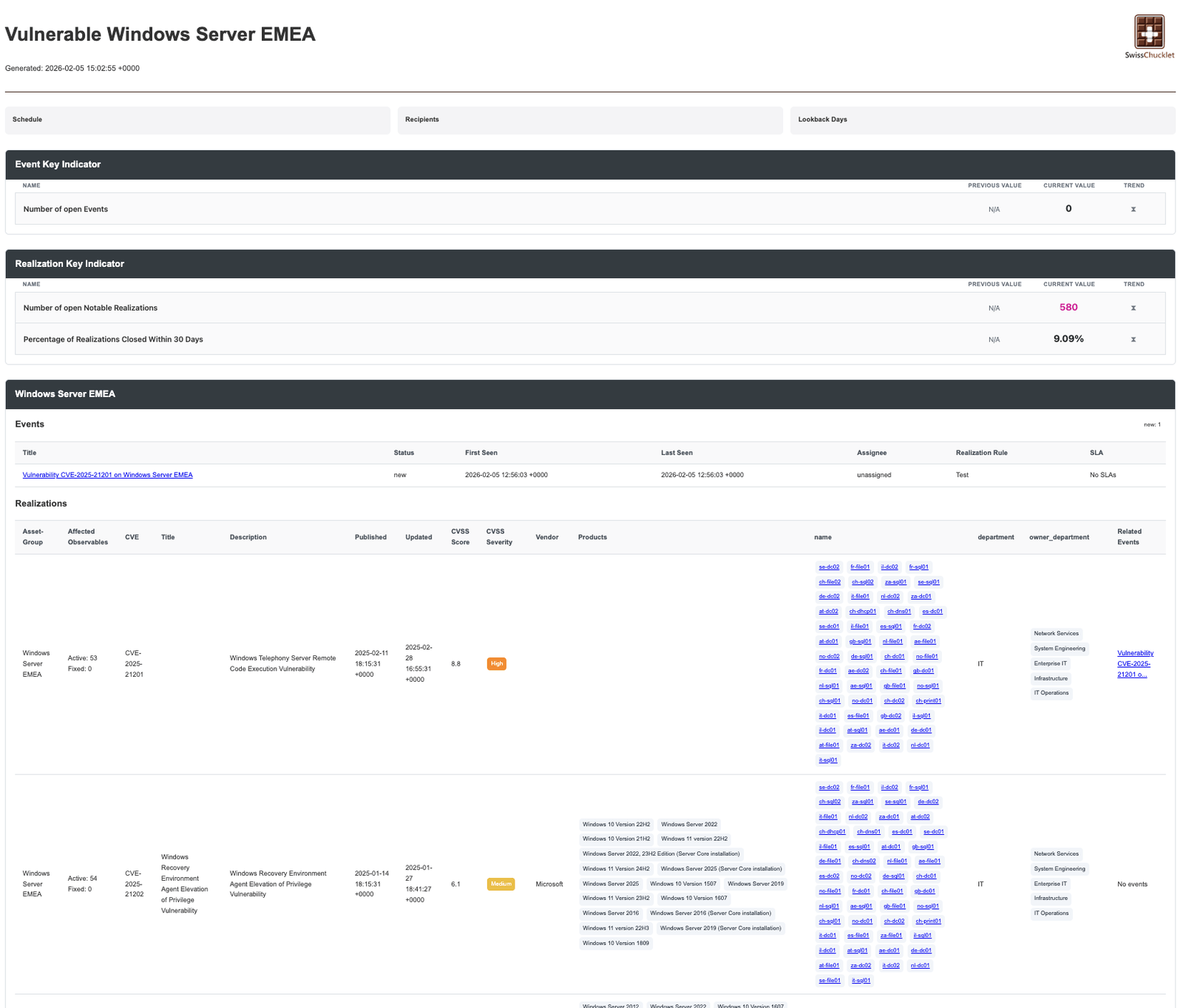
- New Vulnerability KPIs: Additional key performance indicators added to Vulnerability Intelligence scheduled reports for deeper insights.
- Event Data Copy with Templating: Copy individual event fields or entire events to the clipboard using customizable templates, great for pasting into tickets, chats, or documentation.
- OAuth2 Support for Mail Targets: Full OAuth2 authentication is now supported for email delivery targets, improving security and compatibility with modern email providers.
AME remains a powerful choice for IT Ops and SOC teams who want to stay inside Splunk while gaining advanced alert aggregation, deduplication, status tracking, assignments, enrichment (MITRE ATT&CK, risk scoring in higher tiers), and integrations with ServiceNow, Jira, Slack, Teams, and more.
The free core license is still available to get started, with premium features unlocked via subscription.
Ready to Upgrade?
Download the latest version from Splunkbase: https://splunkbase.splunk.com/app/6730
Before upgrading, check the Before You Upgrade guide to ensure a smooth transition.
Full details are in the official What's New section.